

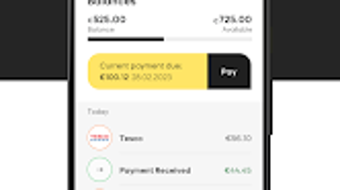
Description
Download Avant Money APK – free Android app, credit card management, secure mobile banking, online purchase approval, transaction alerts, card spending control, fingerprint login, face recognition, debit card payment, account statements, mobile financial tool
Overview
Avant Money is a free Android application developed by Bankinter, designed to support users in managing their credit card accounts through a mobile platform. The app enables users to monitor transactions, control spending, and approve or decline online purchases directly from their smartphones. It serves as a digital extension of the Avant Money credit card service, offering real-time access to financial data and enhanced security features. The primary purpose of the app is to empower users with greater control over their credit usage, especially in dynamic digital environments where online transactions are frequent.
Target users include existing Avant Money cardholders who seek convenient, on-the-go access to their accounts, as well as individuals who value secure, mobile-first financial management. The app is particularly useful for users who want to prevent unauthorized spending by approving transactions in real time. It also benefits those who prefer biometric authentication for faster and safer access. The developer did not provide additional details about the company’s background beyond its name.
Real-world usage scenarios include approving a purchase during a shopping session, setting daily spending limits, receiving instant alerts for unusual activity, and downloading monthly statements for tax or budgeting purposes. The app supports both new and existing customers, with onboarding requiring account registration and mobile number verification.
Key Features & Capabilities
- Online Purchase Approval – Users can approve or decline online transactions directly from the app, reducing the risk of fraudulent purchases.
- Transaction Alerts – Instant notifications are sent for every transaction, helping users stay informed about their spending in real time.
- Card Spending Control – Users can set spending limits or temporarily freeze their card via the app to prevent overspending or misuse.
- Biometric Authentication – Secure access is enabled through fingerprint, face recognition, or a 4-digit passcode, ensuring only authorized users can access the account.
- Debit Card Payments – The app allows users to make payments to their Avant Money account using a linked debit card.
- Transaction History & Details – Full access to transaction records, including merchant names, dates, amounts, and categories.
- Account Statements – Users can view and download monthly or custom-period statements for record-keeping and financial planning.
These features collectively enhance financial transparency and control. For example, a user can approve a high-value purchase while traveling, receive an alert for a suspicious transaction, and later review their spending patterns using downloaded statements. The app’s workflow is optimized for mobile use, making it ideal for managing finances during commutes or daily routines.
User Interface, Workflow & Performance
The user interface of Avant Money is designed for clarity and ease of navigation, with a clean layout that prioritizes essential functions. Main sections such as transaction history, card controls, and account details are accessible from the home screen through clearly labeled icons and menus. The workflow is intuitive, allowing users to complete tasks like approving a purchase or viewing a statement in just a few taps.
Navigating between features is smooth, with minimal friction. The app uses standard Android design patterns, ensuring familiarity for most users. Biometric login speeds up access, and the passcode option provides a fallback for devices without facial or fingerprint sensors.
The developer did not specify resource usage details. Performance observations are based on general software behavior patterns. The app is expected to operate efficiently on devices meeting the minimum OS requirement. Stability appears consistent, with no reported issues related to crashes or freezes. However, exact CPU or RAM behavior was not provided.
Compatibility & System Requirements
Avant Money is compatible with Android devices running version 6.0 or higher. The app has a file size of 36.6 MB, which is relatively lightweight for a financial application. This suggests efficient resource usage and minimal storage impact on the device.
Hardware requirements were not specified. The developer did not provide additional system requirements. Compatibility information was partially provided, focusing only on the OS version. Users should ensure their device meets the minimum Android version to install and use the app.
Pros and Cons
Pros
- Free to download and use, with no hidden fees
- Strong security with biometric and passcode authentication
- Real-time transaction alerts improve financial awareness
- Online purchase approval enhances fraud prevention
- Supports card spending control and temporary freezes
- Easy access to transaction history and downloadable statements
- Intuitive interface suitable for non-technical users
Cons
- Available only on Android, limiting access for iOS users
- Requires an existing Avant Money account to use
- Biometric features depend on device hardware availability
- No information on background data usage or battery impact
- Update frequency and future feature roadmap were not disclosed
FAQ Section
Is Avant Money available for iOS devices?
Currently, the app is only available for Android devices. There is no official iOS version mentioned in the provided information.
Is the app secure for managing credit card data?
Yes, the app uses biometric authentication (fingerprint, face recognition) and a 4-digit passcode to protect user accounts. It is designed as a secure platform for financial transactions.
How do I get started with Avant Money?
Existing customers need to enter their username and password, register their mobile number, and create a 4-digit passcode. New users must register online after receiving their card and account details.
Can I make payments using a debit card through the app?
Yes, the app allows users to make payments to their Avant Money account using a linked debit card.
Do I need an internet connection to use the app?
Yes, an active internet connection is required to access account data, approve transactions, receive alerts, and download statements.
Final Thoughts
Avant Money delivers a focused, secure, and user-friendly experience for managing credit card activity on Android. Its core features—real-time alerts, purchase approval, and spending control—are well-implemented and address common pain points in digital finance. The app’s design prioritizes both security and usability, making it a reliable tool for users who want to stay in control of their spending.
While it is limited to Android and requires an existing account, its free access and strong security model make it a valuable asset for Avant Money cardholders. For those seeking a mobile financial tool that combines control, convenience, and protection, Avant Money stands out as a practical solution.
Download Avant Money now
Guides & Tutorials for Avant Money APK
How to install Avant Money APK
- Click the Preview / Download button above.
- Once redirected, accept the terms and click Install.
- Wait for the Avant Money APK download to finish on your device.
How to use Avant Money APK
This software is primarily used for its core features described above. Open the app after installation to explore its capabilities.
User Reviews for Avant Money APK 0
No reviews found





